CustomBSOD_v2
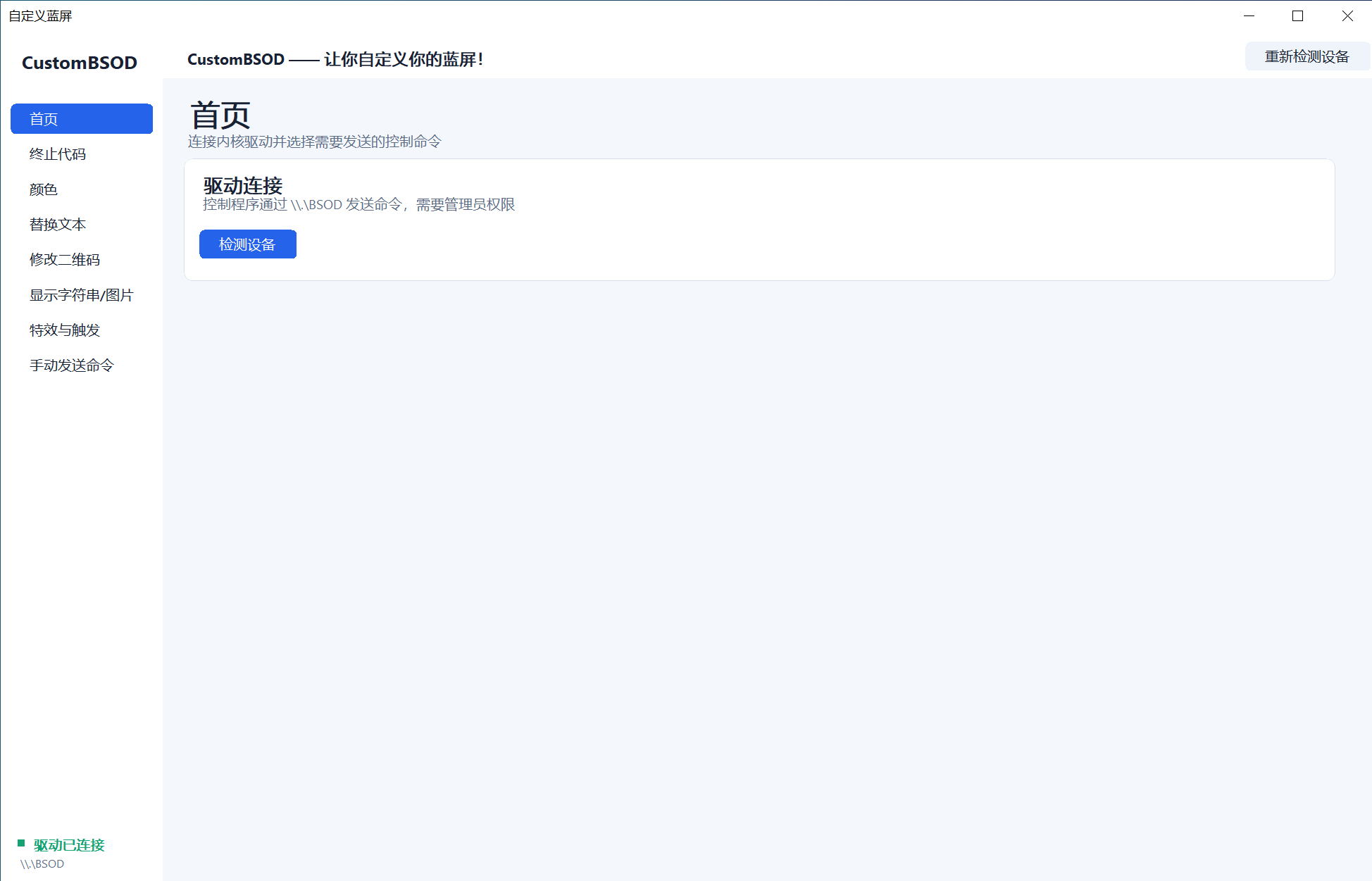
一个 Windows 内核驱动与配套的用户态应用程序,让你完全自定义蓝屏(BSOD)的显示内容——修改颜色、替换文本字符串,并为 Windows 7 到 Windows 11 定制崩溃界面的外观。
⚠本程序可能被 PatchGuard 检测到!
本程序使用 Inline Hook 技术,会修改 ntoskrnl 的 .text 段。
PatchGuard 会定期扫描 ntoskrnl 的 .text 段。
一旦检测到任何异常,它就会触发一次蓝屏,即使你并没有手动触发蓝屏。
架构总览
- 配置界面(WinForms)
- 驱动服务注册表创建与加载
- 内嵌驱动二进制
- 手动触发 BugCheck
- 基于特征码的内核函数定位
- 对蓝屏显示例程进行 Inline Hook
- 多版本 Windows 支持
- VGA 文本模式操作
- 背景 / 前景颜色控制
功能特性
| 功能 | 描述 |
|---|---|
| 自定义停止代码文本 | 用你自己的消息替换默认的 bugcheck 停止代码字符串 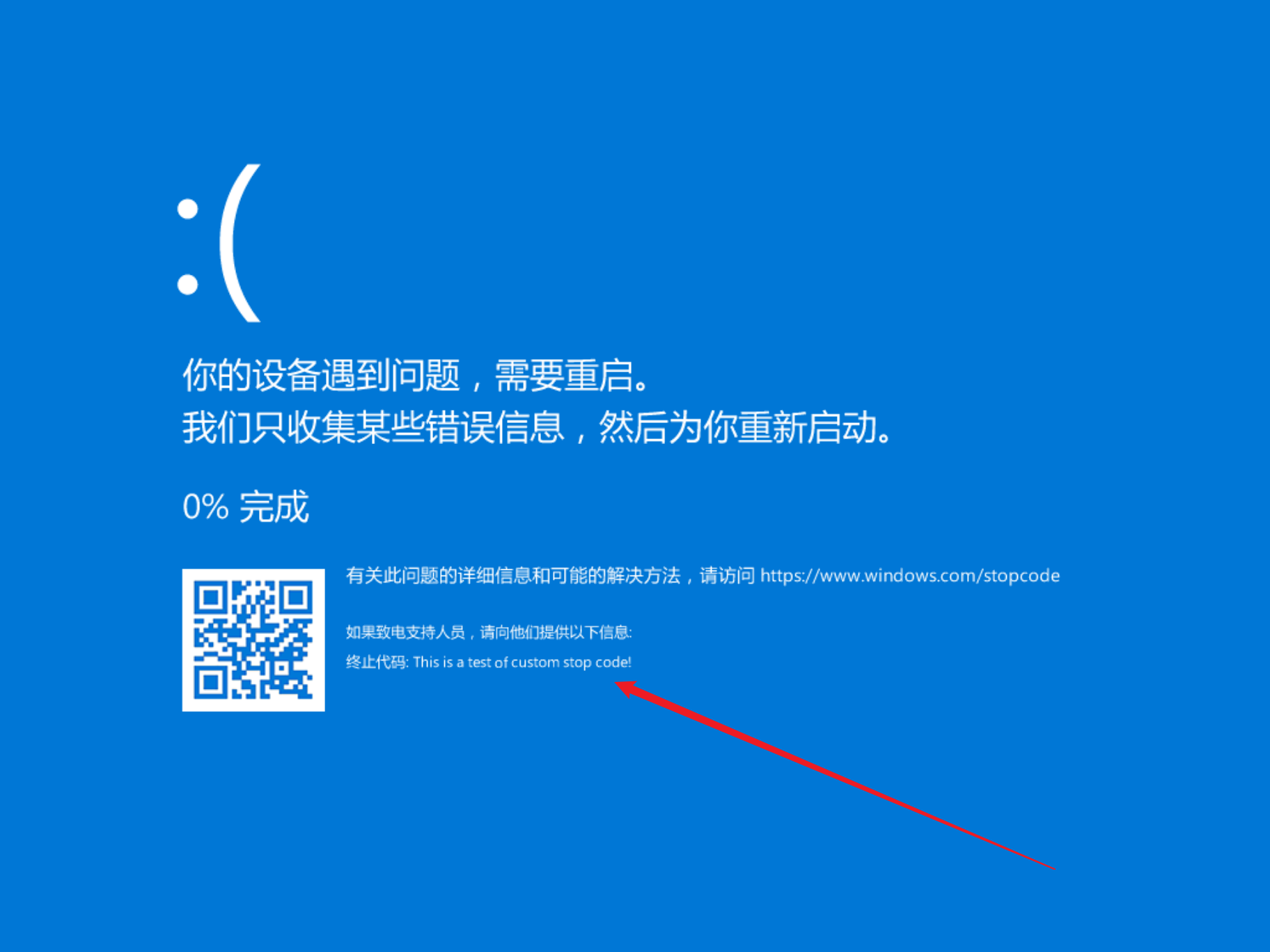 |
| 背景颜色 | 将蓝屏背景改为任意颜色 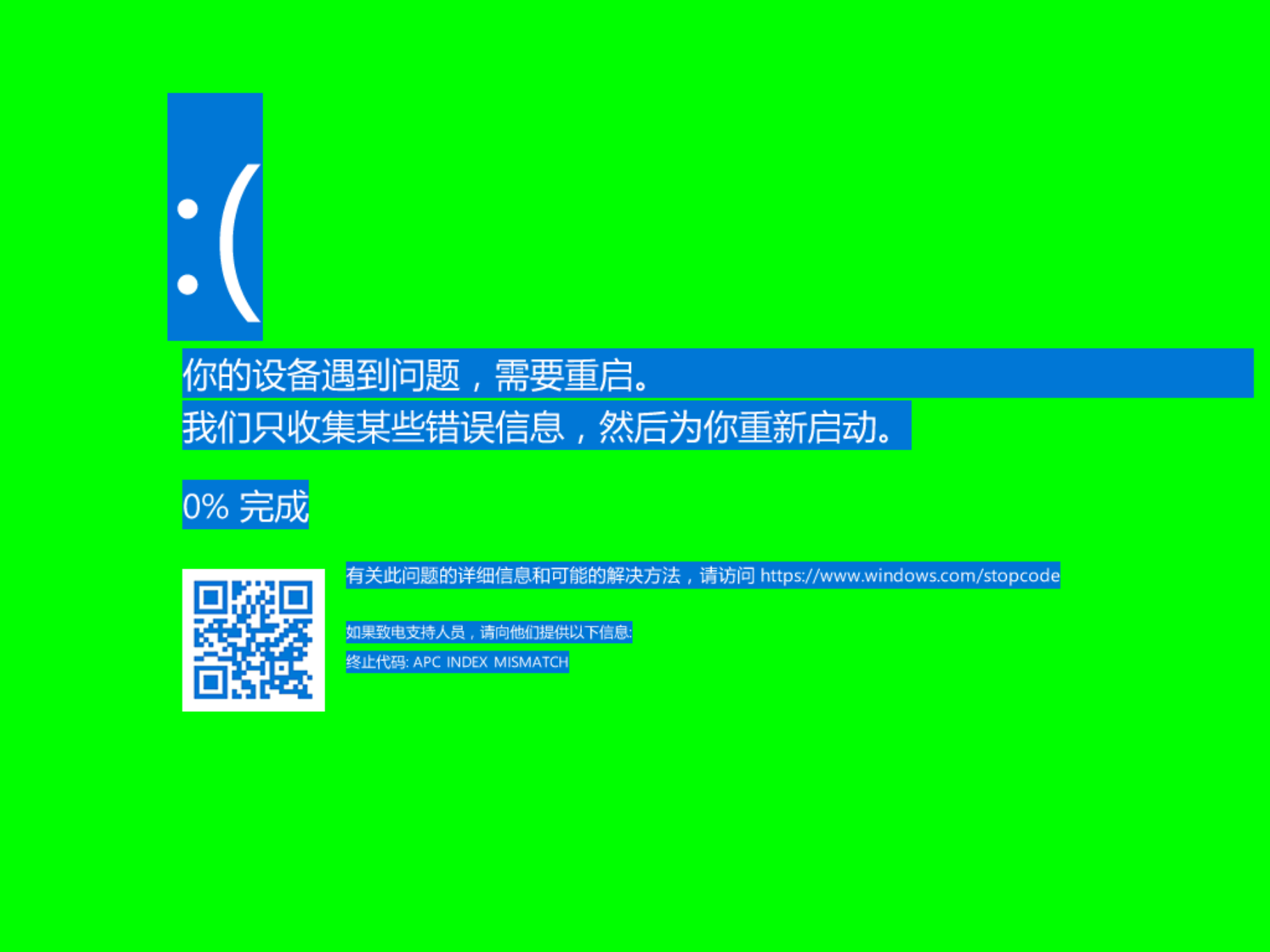 |
| 前景 / 文字颜色 | 为崩溃界面设置自定义的文字颜色 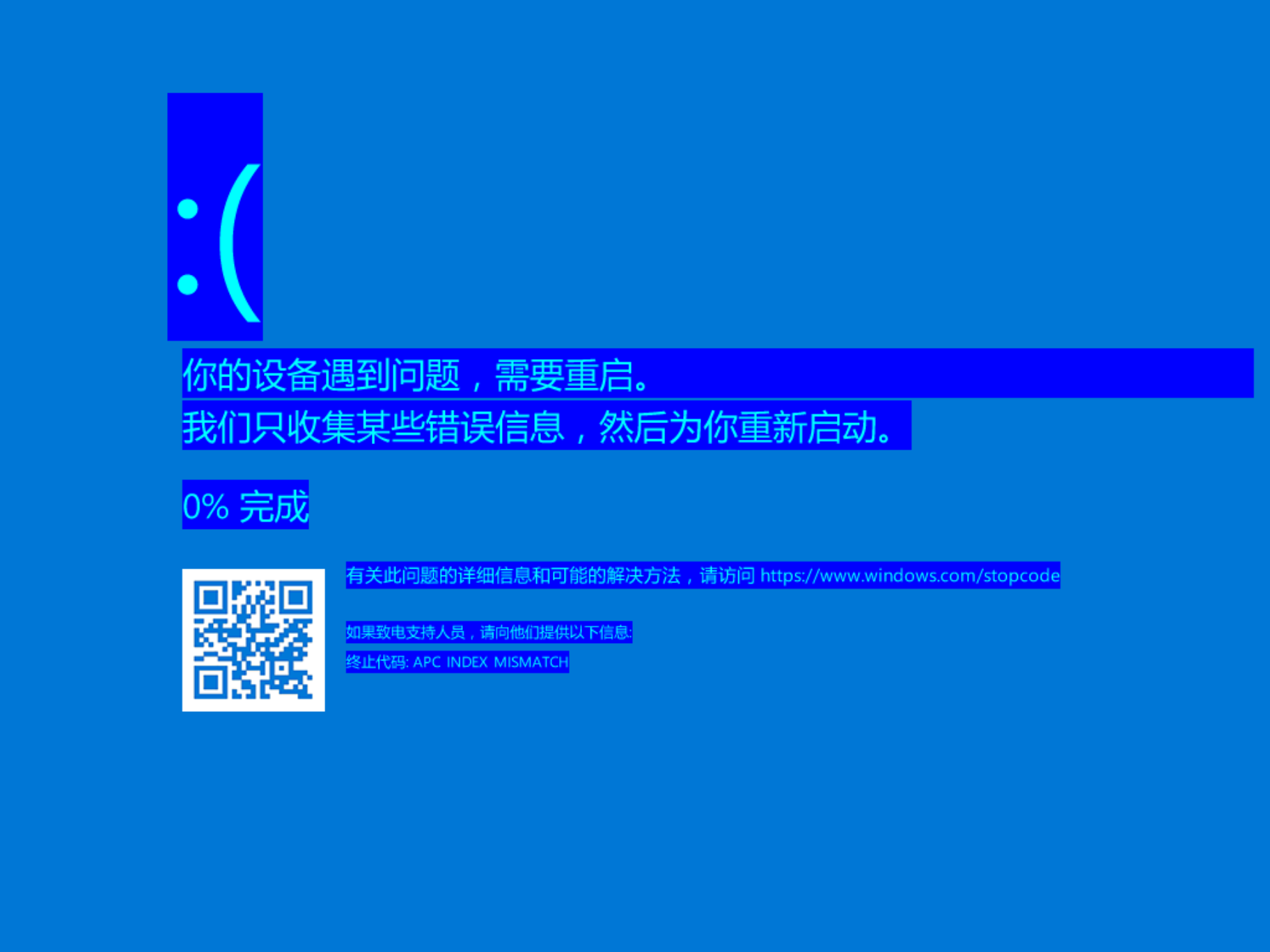 |
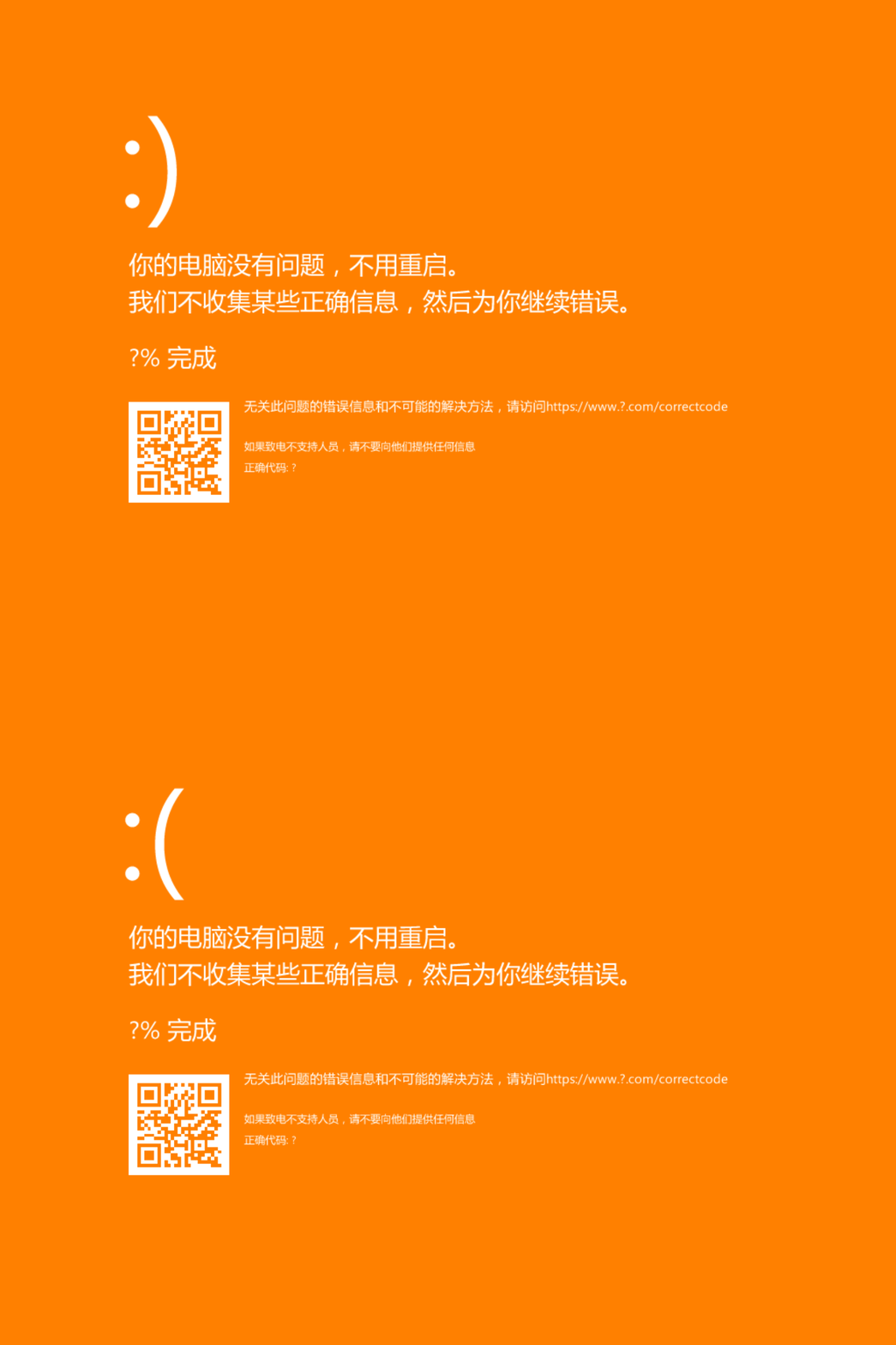
| 修改蓝屏文字 | 修改蓝屏上显示的文字 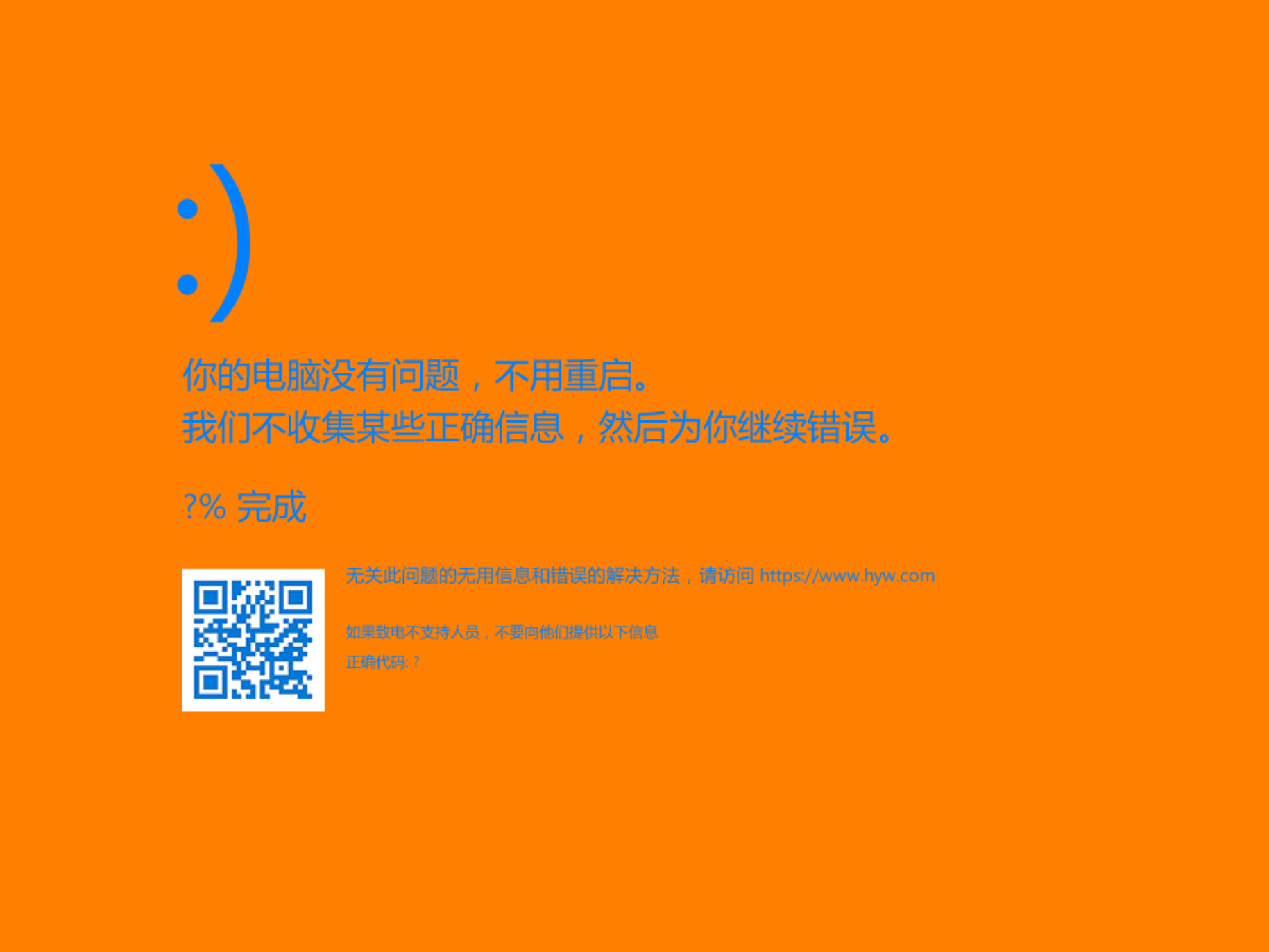 |
| 修改二维码 | 修改二维码,使其显示你自己的图片 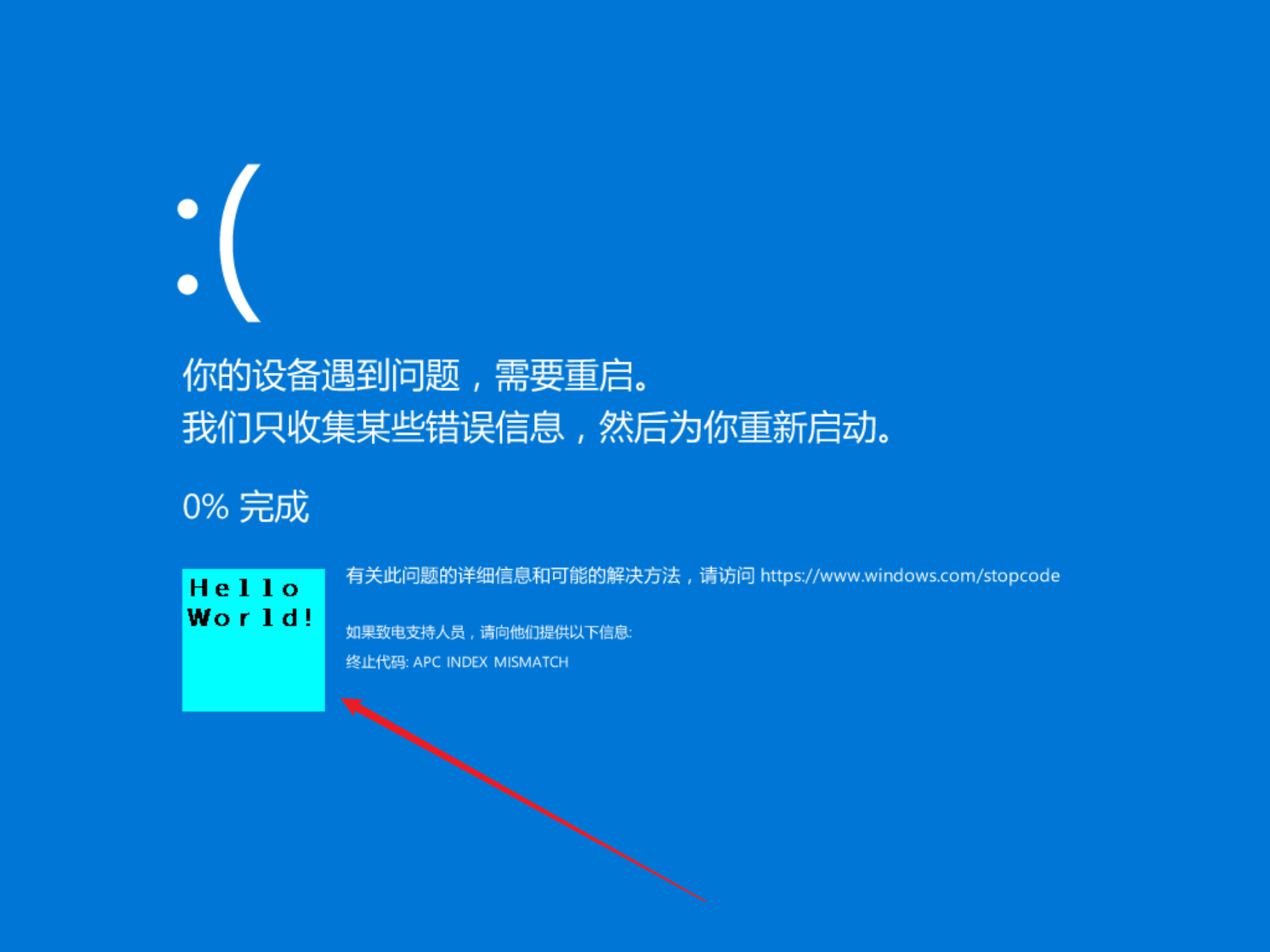 |
| 显示字符串 | 在屏幕上显示你自己的字符串  |
| 显示图像 | 在屏幕上显示你自己的图片 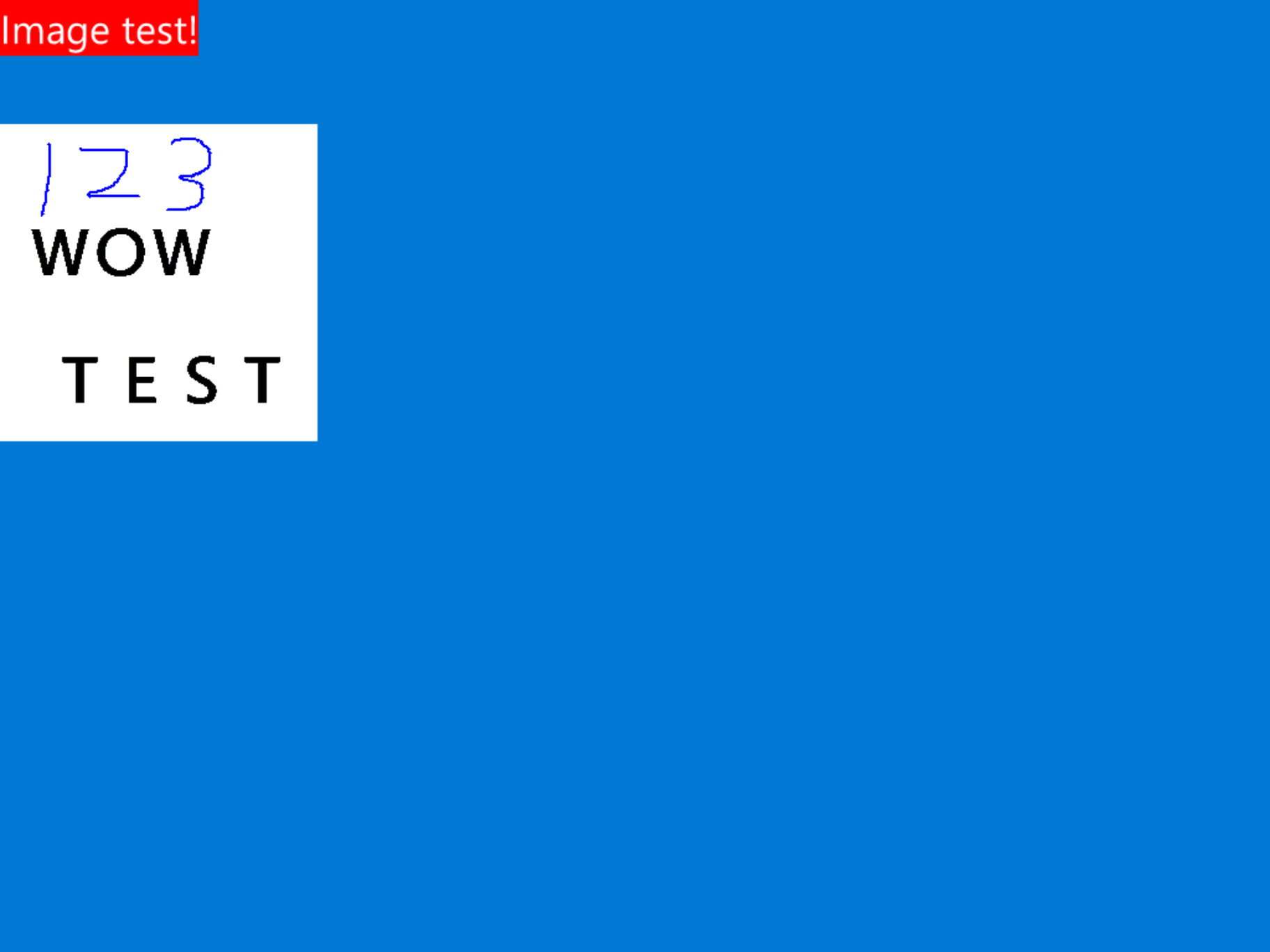 |
| 彩虹蓝屏 | 通过 Hook 或回调函数实现不断变色的蓝屏 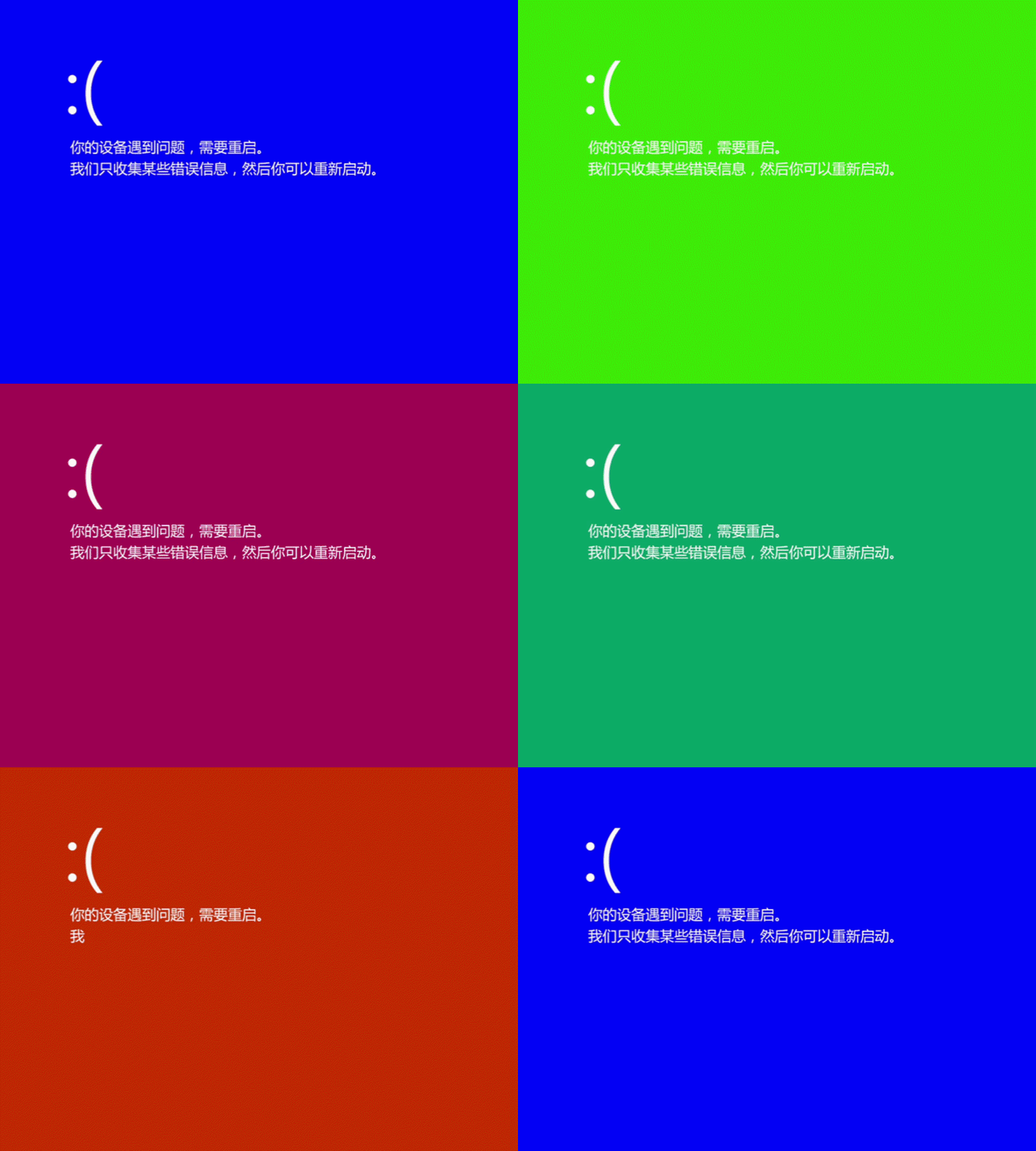 |
| VGA 模式支持 | 支持 VGA 文本模式下的 80x25 与 80x50 模式,并支持闪烁与彩虹模式(仅 Windows 7) 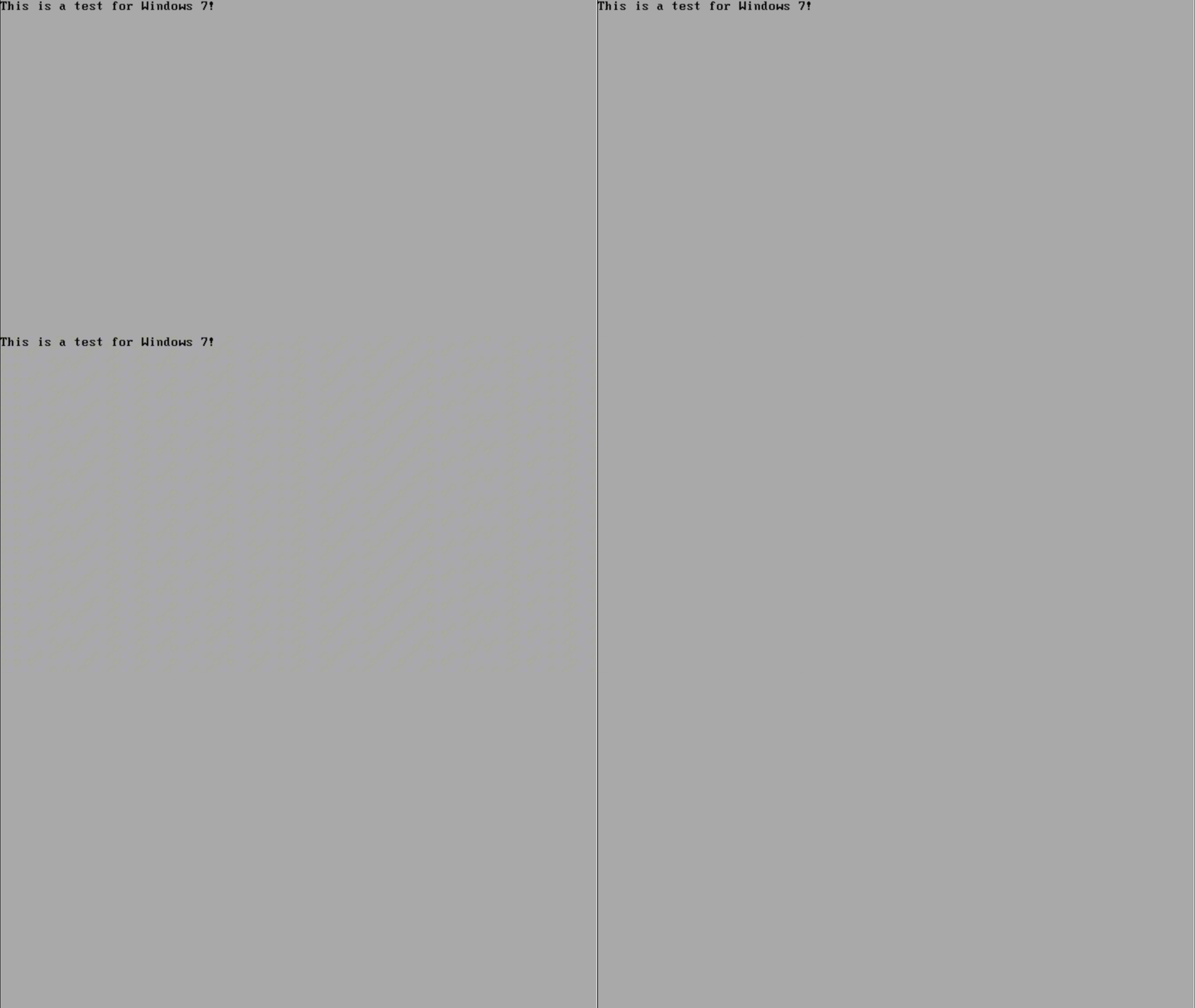 |
| 手动触发 BugCheck | 为测试目的触发一次受控的系统崩溃 |
支持的 Windows 版本
| 系统版本 | 构建号范围 | 状态 |
|---|---|---|
| Windows 7 | 6.1 | 支持 |
| Windows 8 / 8.1 | 6.2 – 6.3 | 支持 |
| Windows 10 | 19045+ | 支持 |
| Windows 11 | 26100+ | 支持 |
工作原理
1. 函数定位(内核)
驱动通过字节特征码扫描,在运行时定位未公开的 Windows 内核内部函数。这样可以避免使用硬编码偏移——硬编码偏移在不同 Windows 版本上会失效。
定位到的关键函数:
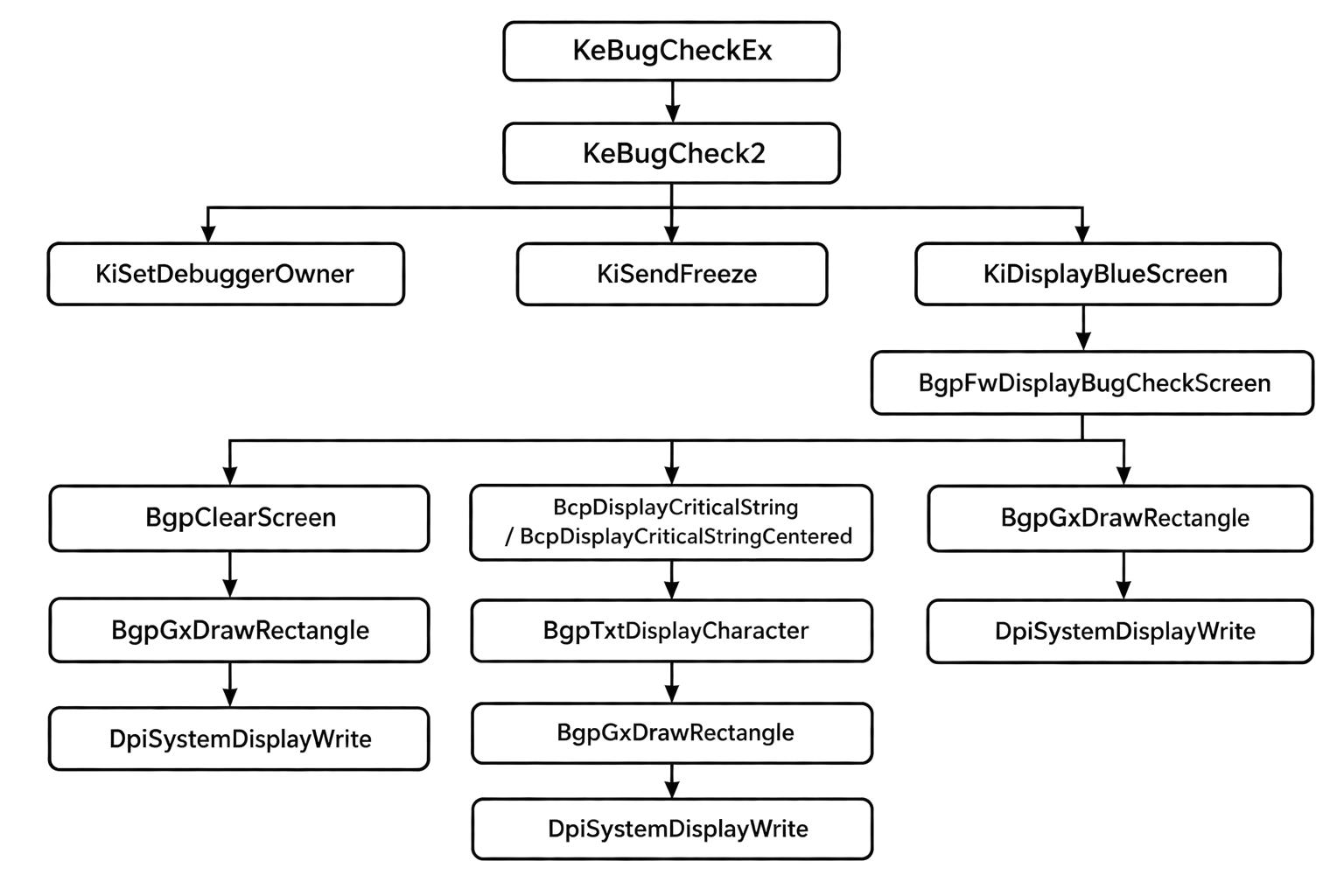
KeBugCheckEx—— 导出函数KeBugCheck2—— 由KeBugCheckEx内部调用的函数KiDisplayBlueScreen—— 用于渲染蓝屏的函数BgpFwDisplayBugCheckScreen—— 由KiDisplayBlueScreen内部调用的函数,用于真正渲染蓝屏BcpDisplayCriticalString—— 该函数用于渲染文字,例如 ":("BcpDisplayCriticalStringCentered—— 与BcpDisplayCriticalString差不多,但它在 Windows 11 25H2 版本之后才出现BgpClearScreen—— 该函数渲染蓝屏的背景BgpTxtDisplayCharacter—— 该函数用于在蓝屏上渲染单个字符BgpGxDrawRectangle—— 该函数用于写入显存,最终会调用DpiSystemDisplayWriteKiSendFreeze—— 该函数用于冻结当前未发生蓝屏的其他 CPUKiSetDebuggerOwner—— 该函数将当前处理器设置为调试器所有者DpiSystemDisplayWrite—— (未使用)DpiSystemDisplayWrite是更底层的函数,用于直接写入显存。它位于dxgkrnl.sys
函数调用图:
2. Inline Hook
驱动在已定位的函数上安装基于跳板的 Inline Hook:
已安装的 Hook:
- 停止代码文本 —— 将
KeGetBugMessageText调用打补丁,替换为用户定义的文本 - 背景颜色 —— 将
BgpClearScreen调用打补丁,使用自定义背景颜色 - 前景颜色 —— 将
BgpTxtDisplayCharacter调用打补丁,使用自定义前景 / 背景颜色(文字) - 修改文字 —— 将
BcpDisplayCriticalString或BcpDisplayCriticalStringCentered调用打补丁,使用自定义文本 - 二维码 —— 将
BgpFwDisplayBugCheckScreen调用打补丁,使用自定义图片
3. 用户态 GUI
CustomBSOD_v2 应用程序提供基于 WinForms 的界面。
启动流程:
- 检查是否启用了 testsigning 模式(加载未签名驱动的必要条件)
- 将内嵌的驱动二进制提取到磁盘
- 创建驱动服务注册表项并加载驱动
- 显示主窗口
玩得开心!
CustomBSOD_v2
A Windows kernel driver and companion user-mode application that allow you to fully customize the Blue Screen of Death (BSOD) display — change colors, modify text strings, and tailor the crash screen appearance across Windows 7 through Windows 11.
⚠This program may be detected by PatchGuard!
This program uses inline hook technology, which modifies the .text segment of ntoskrnl.
PatchGuard will periodically scan the .text segment of ntoskrnl.
Once any abnormalities are detected, it will trigger a blue screen, even if you didn't manually trigger the blue screen.
Architecture Overview
- Configuration GUI (WinForms)
- Driver registry creation & loading
- Embedded driver binary
- Manual BugCheck trigger
- Pattern-based kernel function discovery
- Inline hooking of BSOD display routines
- Multi-version Windows support
- VGA text-mode manipulation
- Background / foreground color control
Features
| Feature | Description |
|---|---|
| Custom Stop Code Text | Replace the default bugcheck stop code string with your own message |
| Background Color | Change the BSOD background to any color |
| Foreground/Text Color | Set a custom text color for the crash screen |
| Change BSOD Texts | Change the BSOD text |
| Modify QR code | Modify the QR code to make it display your own image |
| Display strings | Display your own strings on the screen |
| Display images | Display your own images on the screen |
| Rainbow BSOD | Use hooks or callback functions to implement a blue screen that constantly changes colors |
| VGA Mode Support | Supports 80x25 and 80x50 modes in VGA text mode and supports blinking and rainbow mode (Windows 7 only) |
| Manual BugCheck | Trigger a controlled system crash for testing purposes |
Supported Windows Versions
| OS Version | Build Range | Status |
|---|---|---|
| Windows 7 | 6.1 | Supported |
| Windows 8 / 8.1 | 6.2 – 6.3 | Supported |
| Windows 10 | 19045+ | Supported |
| Windows 11 | 26100+ | Supported |
How It Works
1. Function Discovery (Kernel)
The driver uses byte-pattern scanning to locate undocumented internal Windows kernel functions at runtime. This avoids hardcoded offsets that would break across Windows versions.
Key functions discovered:
KeBugCheckEx- The export functionKeBugCheck2- The functions called internally byKeBugCheckExKiDisplayBlueScreen- The function for rendering the BSODBgpFwDisplayBugCheckScreen- The functions called internally byKiDisplayBlueScreen, which is actually used for rendering the blue screenBcpDisplayCriticalString- This function is used to render text, such as ":("BcpDisplayCriticalStringCentered- Just likeBcpDisplayCriticalString, but it appeared after the Windows 11 25H2 versionBgpClearScreen- This function renders the background of the BSOD.BgpTxtDisplayCharacter- This function is used to render one character on the BSOD.BgpGxDrawRectangle- This function is used for writing to thevideo memory, it will eventually useDpiSystemDisplayWriteKiSendFreeze- This function is used to freeze other CPUs that are not currently experiencing BSODKiSetDebuggerOwner- This function sets the current processor as the debugger owner.DpiSystemDisplayWrite- (Not used) DpiSystemDisplayWrite is at a more fundamental level and is used for directly writing to the video memory. It's indxgkrnl.sys
Function Call Graph:
2. Inline Hooking
The driver installs trampoline-based inline hooks on the discovered functions:
Hooks are installed for:
- Stop code text — the
KeGetBugMessageTextcall is patched to replaced with user-defined text - Background color — the
BgpClearScreencall is patched to use a custom background color - Foreground color — the
BgpTxtDisplayCharactercall is patched with custom foreground/background colors (texts) - Change Text — the
BcpDisplayCriticalStringorBcpDisplayCriticalStringCenteredcall is patched with custom texts - QR Code — the
BgpFwDisplayBugCheckScreencall is patched to use a custom picture
3. User-Mode GUI
The CustomBSOD_v2 application provides a WinForms-based interface.
Startup sequence:
- Checks if testsigning mode is enabled (required for loading unsigned drivers)
- Extracts the embedded driver binary to disk
- Creates the driver service registry and load the driver
- Show the main window
Have Fun!